

Update v1.69.0
🚀 Scheduled transactions
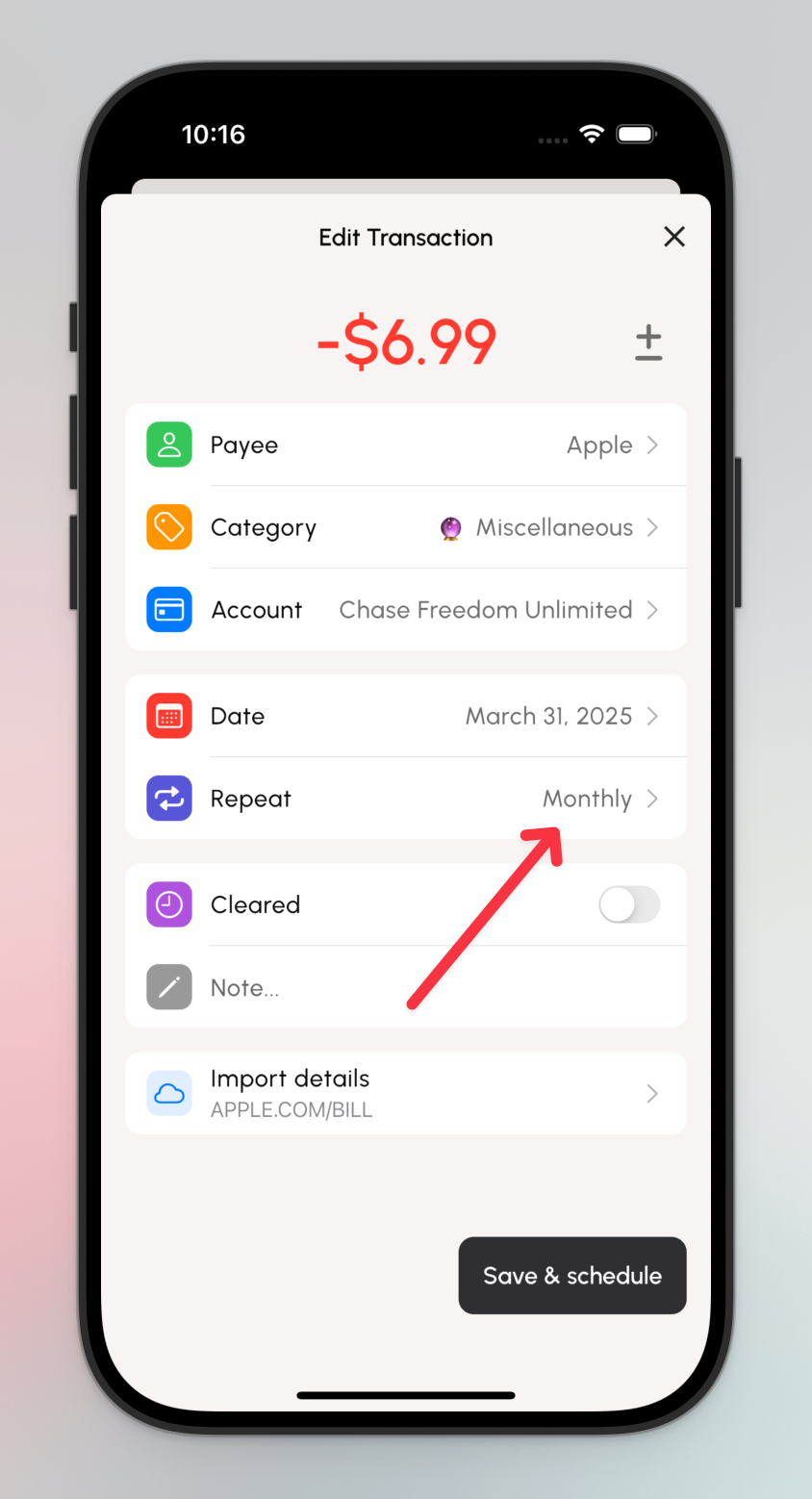
New feature! You can now schedule transactions and set them to repeat daily, weekly, monthly and yearly.
We're rolling this feature out slowly as it has the potential to introduce bugs. If you don't have access to scheduled features and you'd like to help us test this, let us know! Email support@kualia.com
🚀 Transaction import details
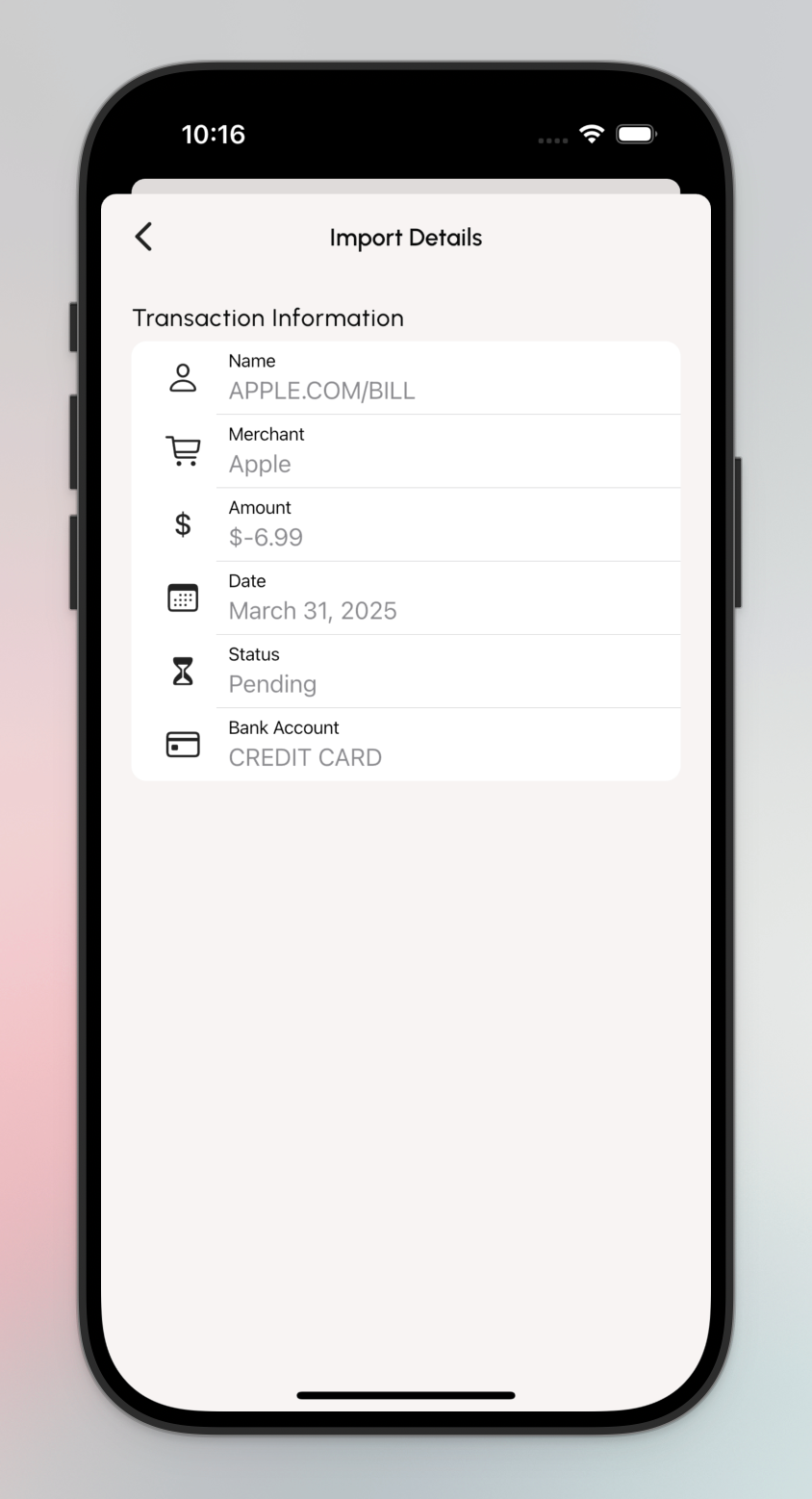
When a transaction is imported from your bank, you can now see some important (or maybe not so important) information about the import. Tap on a transaction with the little 🔗 icon (this means it was imported or linked to a transaction from your bank), then tap on Import details at the bottom.
(She might not be beautiful but she works!)
🔨 Update UI Styling
-
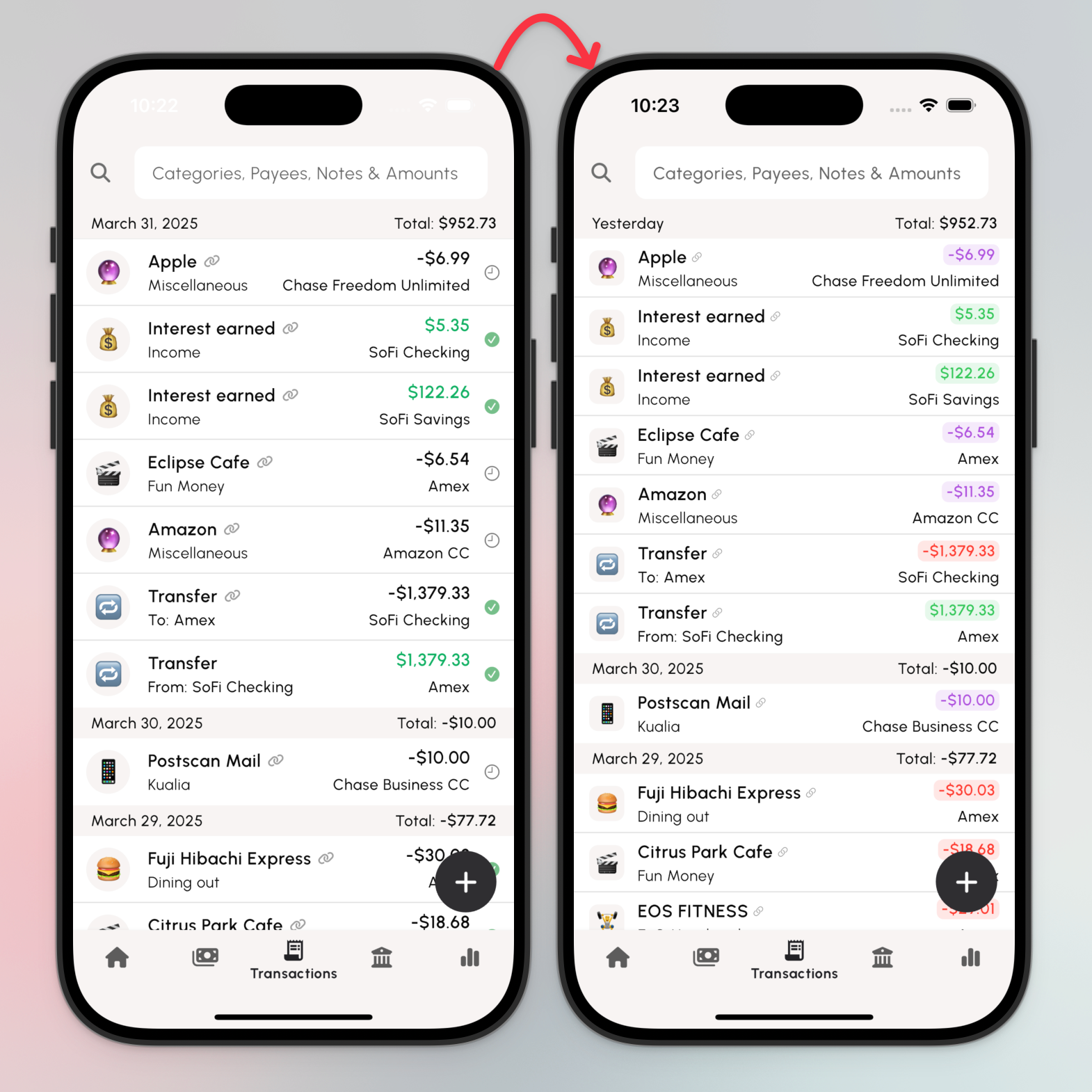
Adding color to transaction amounts. Red and green are self explanatory. Purple means pending. Clearing a transaction will flip from purple to red or green. This let's us get rid of the "cleared" icon on the transaction row, saving space.
-
Squared up the emoji icons in both the Budget and Transactions tabs.
🐛 Bugfix: Transaction reflection linking to existing transactions.
There was a bug when approving a transfer transaction that was linked to an existing transaction that caused the existing transaction to lose the reference to the import.